
Auto Parts POS Software for Billing & Inventory
Bring spare parts billing, item records and stock activity together. Review purchasing, barcode requirements and reports for your parts store.
What Is Auto Parts POS Software?
Auto parts POS software records spare parts sales and connects them with inventory, purchasing and business reports. A parts-store billing system is different from a workshop or dealership system. Vehicle fitment, repair jobs and labour tracking need separate confirmation.
Parts Store Billing and Stock Records
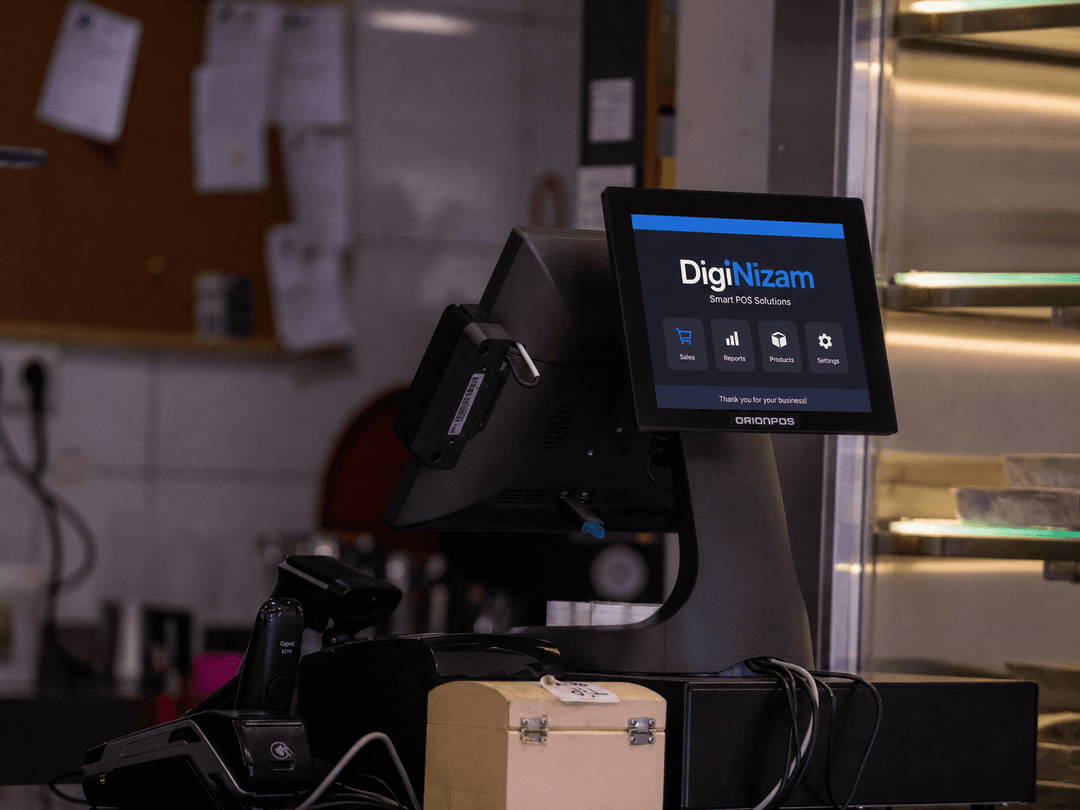
Keep spare parts sales, item records and stock activity connected. Review purchasing and the reports needed by your counter and inventory team.
Use sample parts to review item lookup, billing and stock movements. Confirm the available item fields, scanner support and location setup during the demo.

Review Your Spare Parts Store Workflow
Bring sample part codes, product categories and supplier documents. Review the billing and inventory steps that fit your store.
Vehicle fitment databases, serial-number tracking, vehicle sales, technician assignments, repair job cards and labour tracking are separate specialist requirements. They are not included as capabilities in the scope described here.
- Parts catalogue and stock requirements
- Counter billing and purchase workflow
- Location and report requirements
Auto Parts Store Workflows to Review
Inventory records
Review item fields, stock movements and the locations available in the selected configuration.
Billing workflow
Review item lookup, sales, invoices and any supported discount or return actions.
Barcode and labels
Confirm barcode formats, scanner compatibility and label fields using your product examples.
Purchasing records
Review supplier records, purchasing and receiving steps available in your setup.
Business reports
Review the sales, stock and purchasing reports available in your selected configuration. Confirm local tax obligations separately.
Locations and connectivity
Confirm the locations, user access and connectivity needed for your selected setup.
Discuss Your Business Setup
Auto parts retailers can review spare parts records, counter billing and supplier purchases with DigiNizam. Confirm specialist fitment or workshop needs separately.
For the broader store workflow, review retail billing and stock workflows.
Review the POS and inventory features and confirm the functions available for your selected setup.
See how DigiNizam pricing is agreed after the demo and requirements discussion.
Related guide: how retail inventory management reduces stock problems.
Auto parts store software questions
Direct answers for common auto parts and spare parts store software questions.
Auto parts POS software records spare parts sales and connects them with inventory, supplier purchasing, barcode billing and reporting so auto parts stores can manage daily operations from one system.
The right system depends on parts catalogue size, billing workflow, inventory accuracy, supplier management, barcode support, reporting and number of locations. Compare these requirements before choosing a POS.
Yes. DigiNizam tracks spare parts stock and connects inventory records with sales and purchases so teams can maintain clearer stock visibility.
Yes. DigiNizam supports barcode billing for auto parts, including counter checkout scanning. Confirm part-label and shelf-tag printing with your printer during the demo.
Yes. DigiNizam includes purchase and supplier records that connect ordering and receiving with inventory.
Yes. DigiNizam supports multi-branch control with connected branch-level stock, sales and reporting across outlets.
Review the sales, inventory and operating reports available in your selected DigiNizam configuration. Confirm local tax-reporting obligations separately.
Compare part records, counter billing, inventory, purchasing, barcode requirements, reports and locations. Check whether your business also needs vehicle fitment, serial tracking or repair jobs. Those specialist requirements are separate from ordinary parts-store billing.
Vehicle-fitment databases, serial tracking, repair job cards, labour tracking and technician assignments are separate from the parts-store billing and inventory workflow described here. Confirm any specialist requirements separately during the demo.
Review DigiNizam for Your Auto Parts Store
Book a demo to review parts billing, catalogue records, purchasing and reports. Pricing is discussed after the demo, once requirements are understood.
Solutions for different businesses
Explore supported industries and discuss the setup relevant to your business.






Service & support
Our offering, billing and support at a glance.
Global customers
DigiNizam serves businesses globally. Discuss your industry and requirements with our team.
English-language offering
The current DigiNizam offering is available in English.
Month-end invoicing
Invoices are issued at month-end under the terms agreed with each customer.
24/7 technical support
DigiNizam provides 24/7 support. Contact our team for help with your setup.